
This is default featured slide 1 title
Go to Blogger edit html and find these sentences.Now replace these sentences with your own descriptions.
This is default featured slide 2 title
Go to Blogger edit html and find these sentences.Now replace these sentences with your own descriptions.
This is default featured slide 3 title
Go to Blogger edit html and find these sentences.Now replace these sentences with your own descriptions.
This is default featured slide 4 title
Go to Blogger edit html and find these sentences.Now replace these sentences with your own descriptions.
This is default featured slide 5 title
Go to Blogger edit html and find these sentences.Now replace these sentences with your own descriptions.
Showing posts with label lcd display 16x2 alphanumeric. Show all posts
Showing posts with label lcd display 16x2 alphanumeric. Show all posts
Monday, January 5, 2015

Saturday, December 27, 2014
Library for LCD HD44780.
This library allows control Liquid Crystal displays (LCDs) based on the Hitachi HD44780 (or a compatible). The library works with in 4 bit mode interface.
Brian Hicks made an evaluation of this code.

Video.
Description of library.
void Lcd_Init(void)
This function initializes the Lcd module.
Note: You can change the connection of lcd module in hd44780.h file.
Example:
Lcd_Init();
Lcd_Command(LCD_CLEAR);
void Lcd_ConstText(y, x, buffer)
This function prints text constant on the Lcd.
Lcd_ConstText(2, 1, "Hello World");
void Lcd_Text(y, x, buffer)
This function prints text on the Lcd.
int i = 50;
char buffer1[20];
sprintf(buffer1,"%3d",i);
Lcd_Text(1, 1, buffer1);
void Lcd_WriteChar(y, x, c)
This function prints a character on the Lcd.
Lcd_WriteChar(1, 4, 'H');
void Lcd_CharCP(c)
This function prints text on Lcd at current cursor position.
Lcd_CharCP('R');
void Lcd_Command(command)
This function sends command to Lcd.
Lcd_Command(LCD_BLINK_CURSOR_ON);
// Note: All commands available are in file hd44780.h
Schematic.

Direct Download.
Schematic.
Brian Hicks made an evaluation of this code.
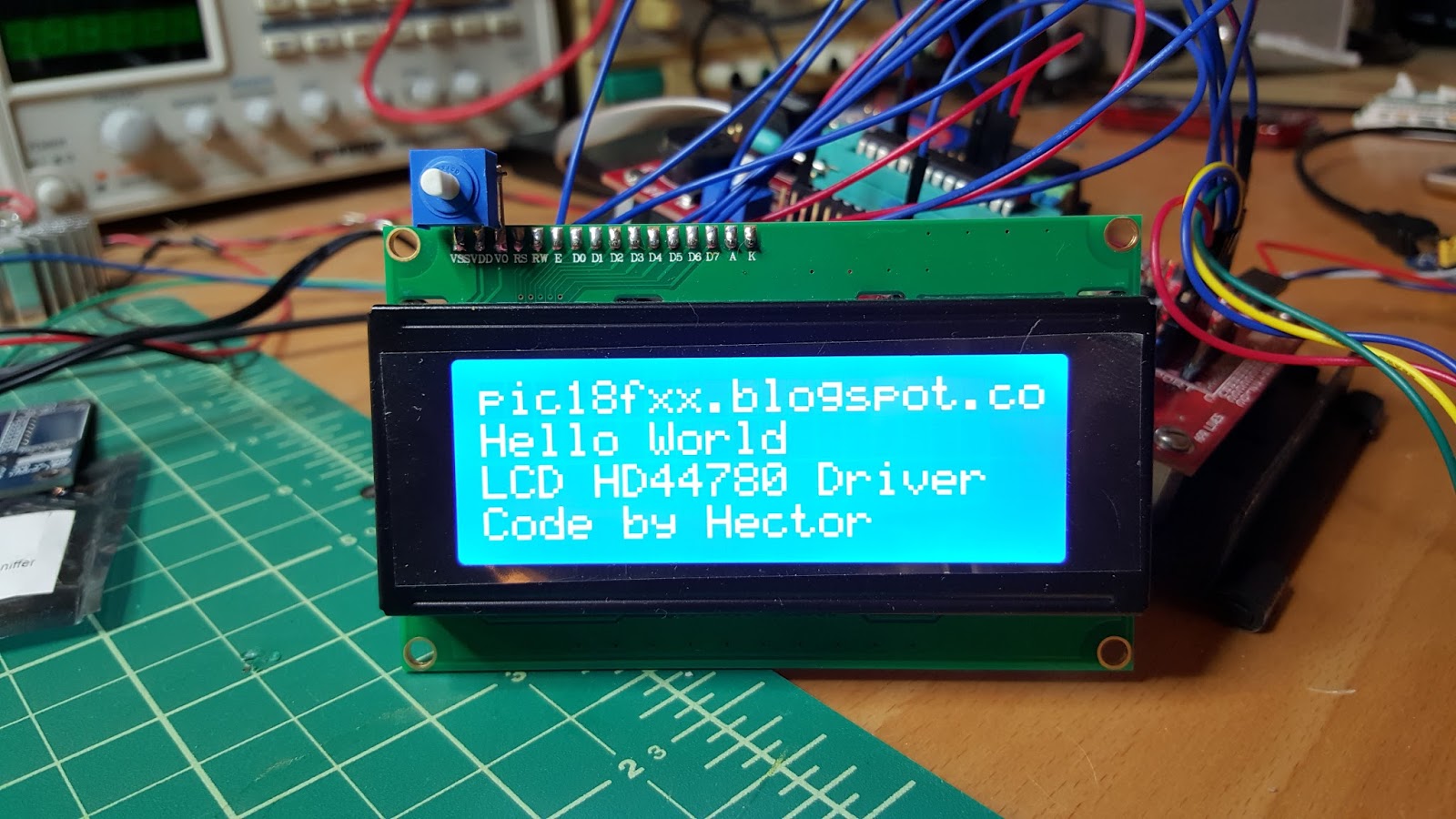
Video.
Description of library.
void Lcd_Init(void)
This function initializes the Lcd module.
Note: You can change the connection of lcd module in hd44780.h file.
Example:
Lcd_Init();
Lcd_Command(LCD_CLEAR);
void Lcd_ConstText(y, x, buffer)
This function prints text constant on the Lcd.
- y: Starting position row number. Valid values: 1, 2, 3, 4
- x: Starting position column number. Valid values: 1..20
- buffer: Byte of array
Lcd_ConstText(2, 1, "Hello World");
void Lcd_Text(y, x, buffer)
This function prints text on the Lcd.
- y: Starting position row number. Valid values: 1, 2, 3, 4
- x: Starting position column number. Valid values: 1..20
- buffer: Byte of array
int i = 50;
char buffer1[20];
sprintf(buffer1,"%3d",i);
Lcd_Text(1, 1, buffer1);
void Lcd_WriteChar(y, x, c)
This function prints a character on the Lcd.
- y: Starting position row number. Valid values: 1, 2, 3, 4
- x: Starting position column number. Valid values: 1..20
- c: Character to be written
Lcd_WriteChar(1, 4, 'H');
void Lcd_CharCP(c)
This function prints text on Lcd at current cursor position.
- c: character to be written
Lcd_CharCP('R');
void Lcd_Command(command)
This function sends command to Lcd.
- command: command to be sent
Lcd_Command(LCD_BLINK_CURSOR_ON);
// Note: All commands available are in file hd44780.h
Schematic.

Direct Download.
Schematic.

Subscribe to:
Posts (Atom)


